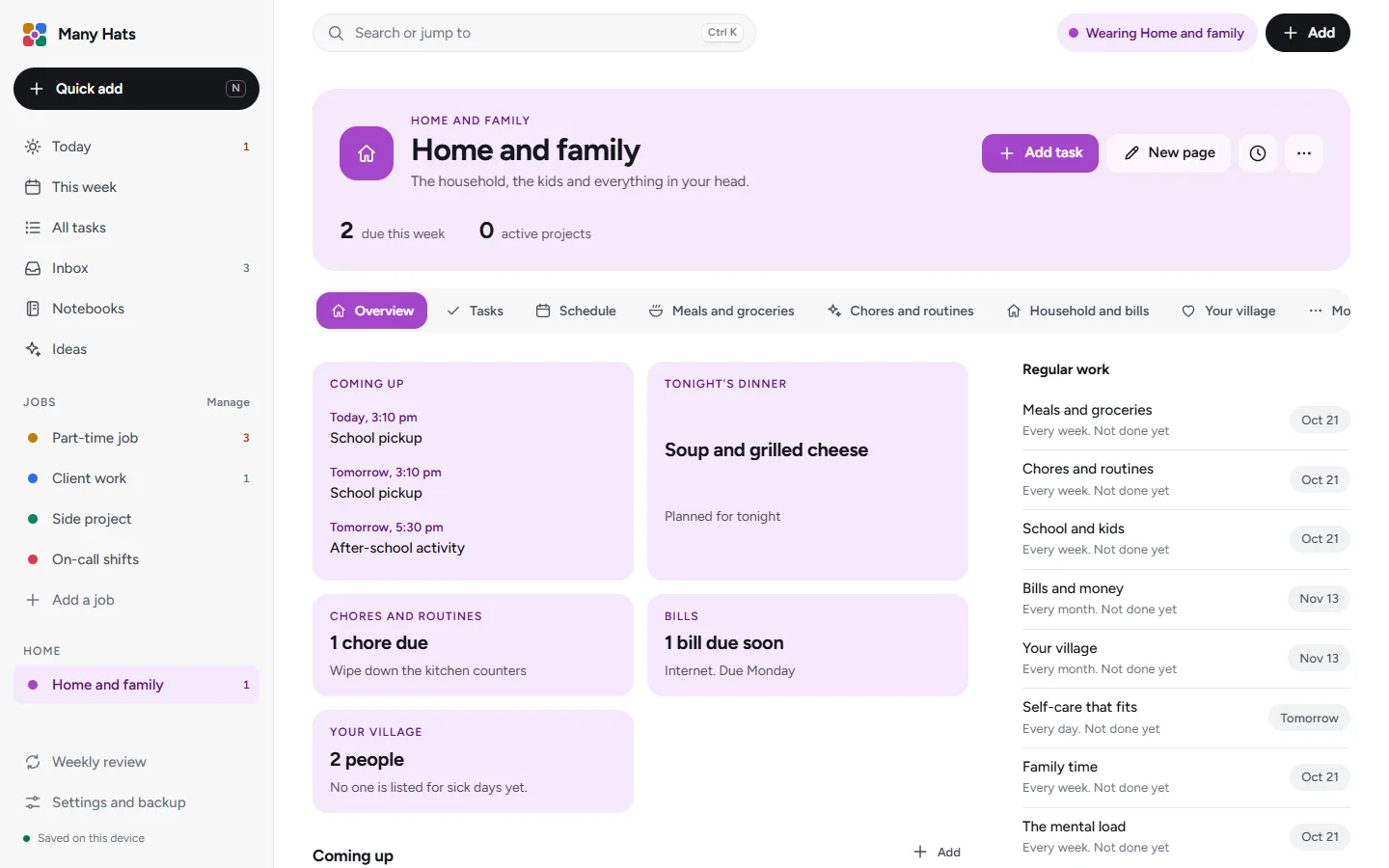
For working parents
Your jobs and your household on the same page
Home and family has its own room in the same menu as your jobs, and what the household needs appears on Today beside what your work needs.
One week, two kinds of work
Many Hats keeps the deadlines and meetings of your jobs and the dinners, chores and bills of your home in one place, with a different color for each.
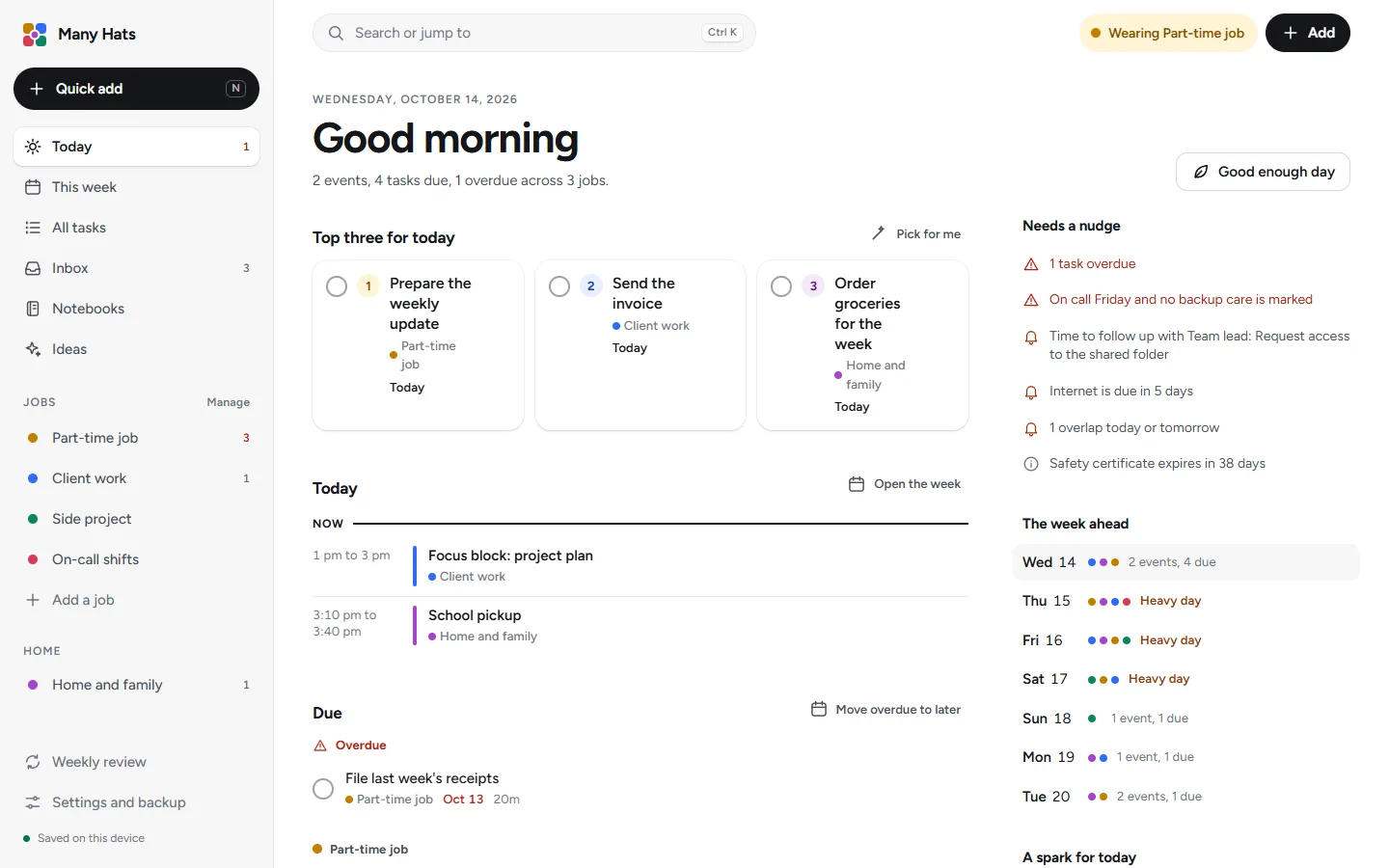
One Today for work and home
The day's schedule, what is due and a top three come from every job and from Home, each in its own color.
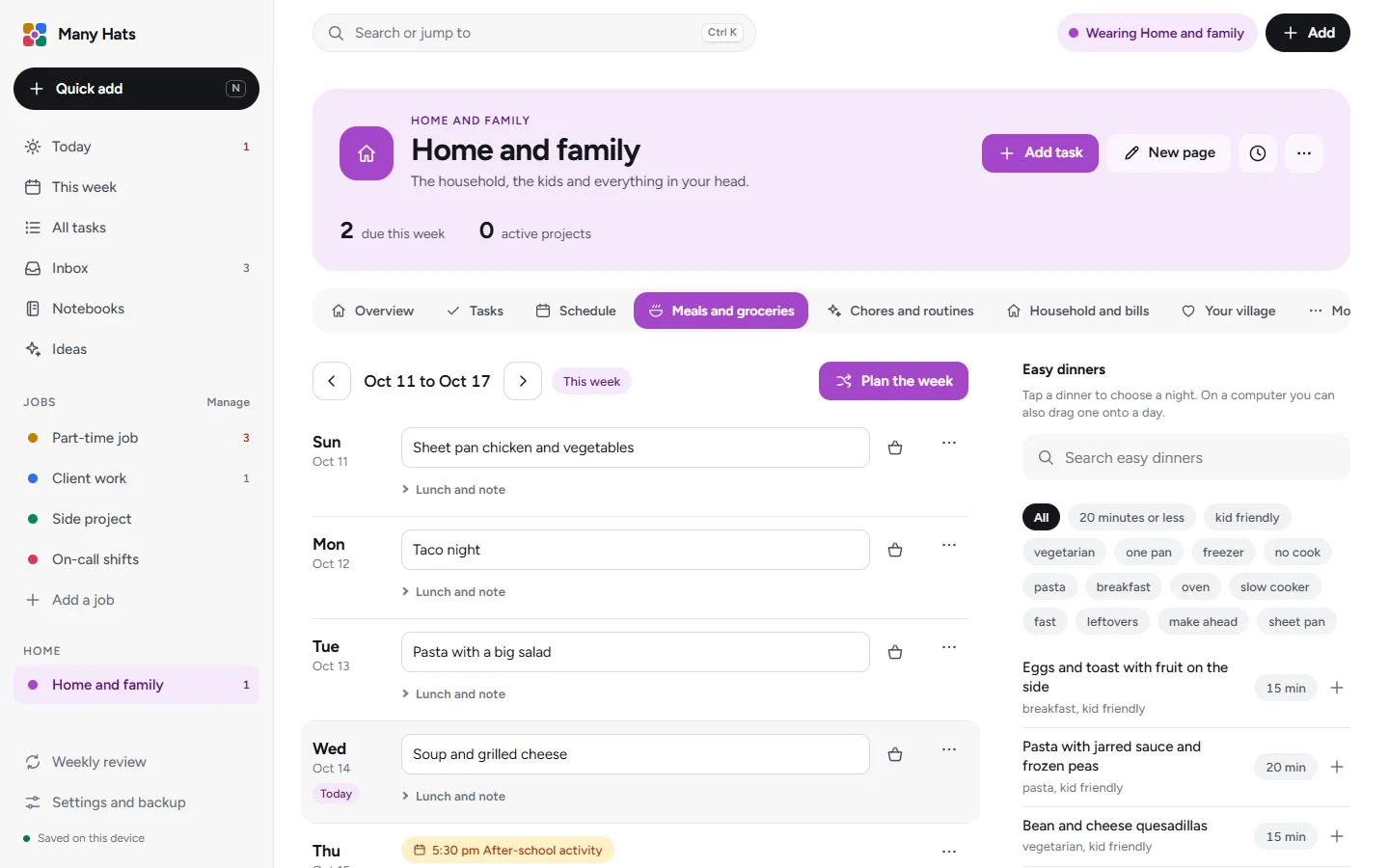
Dinner sorted for the week
Type a dinner for any night or pick one from the easy dinners, and press Plan the week to fill the empty nights. The basket button beside a dinner adds its ingredients to a grocery list you can copy as text.
Chores for each person in the house
Starter chores for four age ranges can be given to the people in your household, each with its own repeat. Routines such as Morning and Bedtime are lists you tick through each day.

Your village in one list
Keep a list of the people who can help, what each one can cover and when they're free, and Ask for help writes the message for you to edit and copy.

Events say who they are for
An event in Home can say who it's for and whether an adult has to be there, and a checkup for one child shows that child's name on the calendar row.
A backup care check
Once you add children to the household, an on-call stretch with no backup care marked shows up as a nudge on Today.
For the weeks that run hot
A lighter Today when you need one
Good enough day trims Today to your top three and a few small wins, which are tasks estimated at fifteen minutes or less.
The energy check-in rates the day from Drained to Great, and after three low days in a row the app suggests a lighter week. The weekly review has a Protect step that offers to put two hours of rest on your calendar.

Good to know
- Each account is for one person, and a partner uses an account of their own with nothing shared between them.
- Your information syncs to each computer and phone you sign in on.
- In the browser, reminders show inside the app.
Questions from parents
Where is my information kept?
A working copy is kept in your browser and synced to your account, where it's encrypted in transit and at rest. How your information is kept has the details.
Can I use it on my phone?
Yes, it works in a phone's browser and syncs with your other devices when you sign in.
Do I need an account?
An account holds your subscription and syncs your information between your devices, and signing up for one starts the free trial.
What happens if I clear my browser data?
The copy in that browser and its daily safety copies are removed, and when you sign in again your information syncs back from your account.
Try it with the example setup.
The first screen offers the example jobs and Home, or a blank page.