All your hats in one place.

Each job gets a room of its own with tasks, projects, notes, ideas and a schedule, and one Today page shows what's due across all of them. Many Hats runs in your browser on a computer or a phone, and your information syncs between them.

The 14 day trial needs no card, and the subscription is $9.99 a month or $100 a year.

The Today page, with a greeting, the top three tasks for the day, the schedule, a list of what needs a nudge and a strip showing the week ahead, each job in its own color.
The room for a job called Part-time job, with a honey header, a row of tabs, a note about where you left off, a card for the content board, what is coming up, the regular work and who you are waiting on.
The room for a job called Client work, with a cobalt header, tabs for projects, tasks, learning paths, notebook, ideas and responsibilities, a note about where you left off, what is coming up and the regular work.
The room for a job called Side project, with an emerald header, a note about where you left off, what is coming up, the regular work and who you are waiting on.
The room for a job called On-call shifts, with a coral header, tabs for on call, skills and training, notebook, tasks and clients, a note about where you left off, and cards for the next on-call stretch, an expiring certificate, the number of active clients and what is coming up.

Every job is a hat with its own color.

When one week holds a shift at one job, a deadline for a client, a meeting for a side project, an on-call night and a school pickup, the effort goes into remembering what is owed to whom and by which day.

Many Hats gives each job a room and a color, and the color follows the job onto its tasks on the Today page, its events on the calendar and its notebook pages.

  • Part-time jobRegular hours and a few fixed duties.
  • Client workProjects as they come in, with a notebook for what you learn.
  • Side projectA plan, a few helpers and a date to work back from.
  • On-call shiftsShifts, backup cover and notes on your clients.
  • Home and familyMeals, chores, bills and the people who can help.

The example setup gives you a few jobs and a home to start from, and you can rename, recolor or remove any of them.

Take a look around

Today, across every job

One page for the day

The schedule, what is due and what has slipped sit on one page, grouped by job and colored to match.

  • Choose up to three tasks as your top three, or let the app pick what is due soonest.
  • See what is overdue, who you are waiting on and which meetings overlap.
  • Glance at the week ahead, with the heavy days marked.
  • Press Good enough day to trim the page to the few things that count.
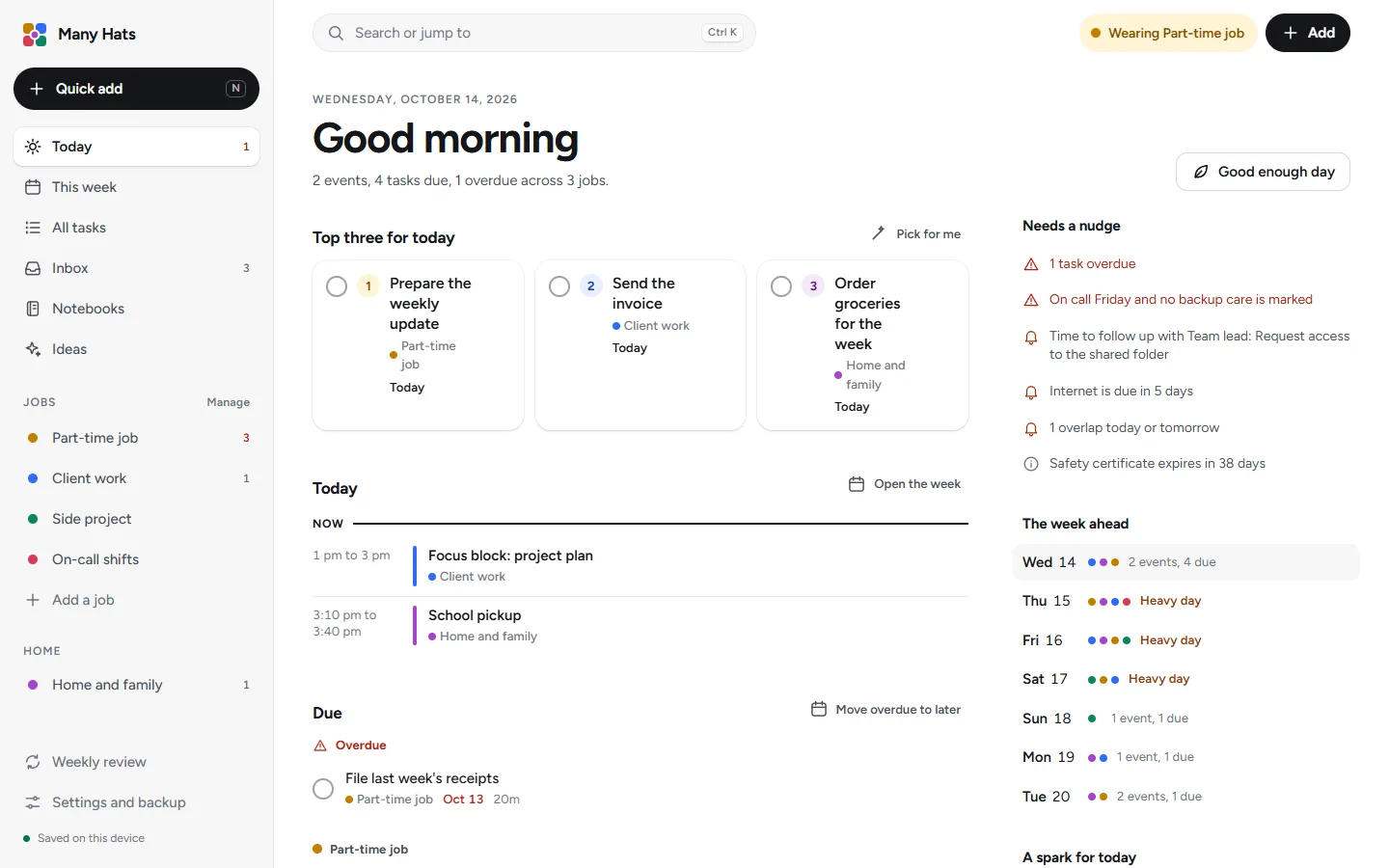
The Today page, with a greeting, the top three tasks for the day, the schedule, a list of what needs a nudge and a strip showing the week ahead, each job in its own color.

The week, across every job

Hours against your targets

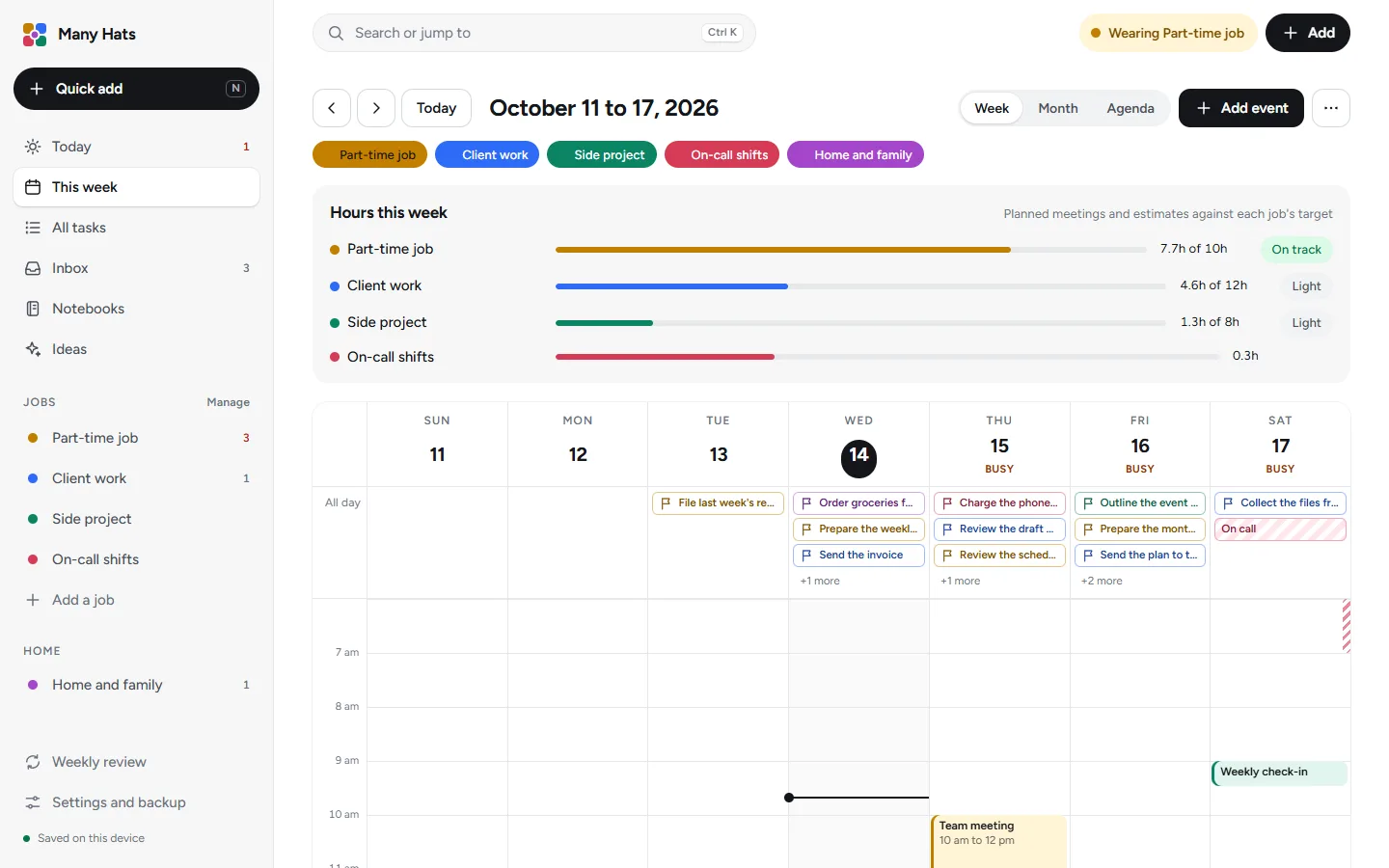
A bar for each job compares the hours you have planned with the hours you aim for.

  • Week, month and agenda views, with a filter for each job.
  • Repeating events, all-day deadlines and overlap warnings.
The week view, with a bar for each job comparing planned hours with its weekly target above a calendar of the week with events colored by job.

Part-time job

A room for each job

Each room opens with what is coming up, the work you are on the hook for and how often it is due, the people you're waiting on and a note that reminds you where you left off.

  • Tasks with repeats, subtasks and a Waiting list.
  • Projects with a stage, a next step and visible progress.
  • Responsibilities that show when something is overdue.
  • Extra tools such as a content board and playbooks, switched on only where you want them.
The room for a job called Part-time job, with a honey header, a row of tabs, a note about where you left off, a card for the content board, what is coming up, the regular work and who you are waiting on.

Side project

A notebook that works like one

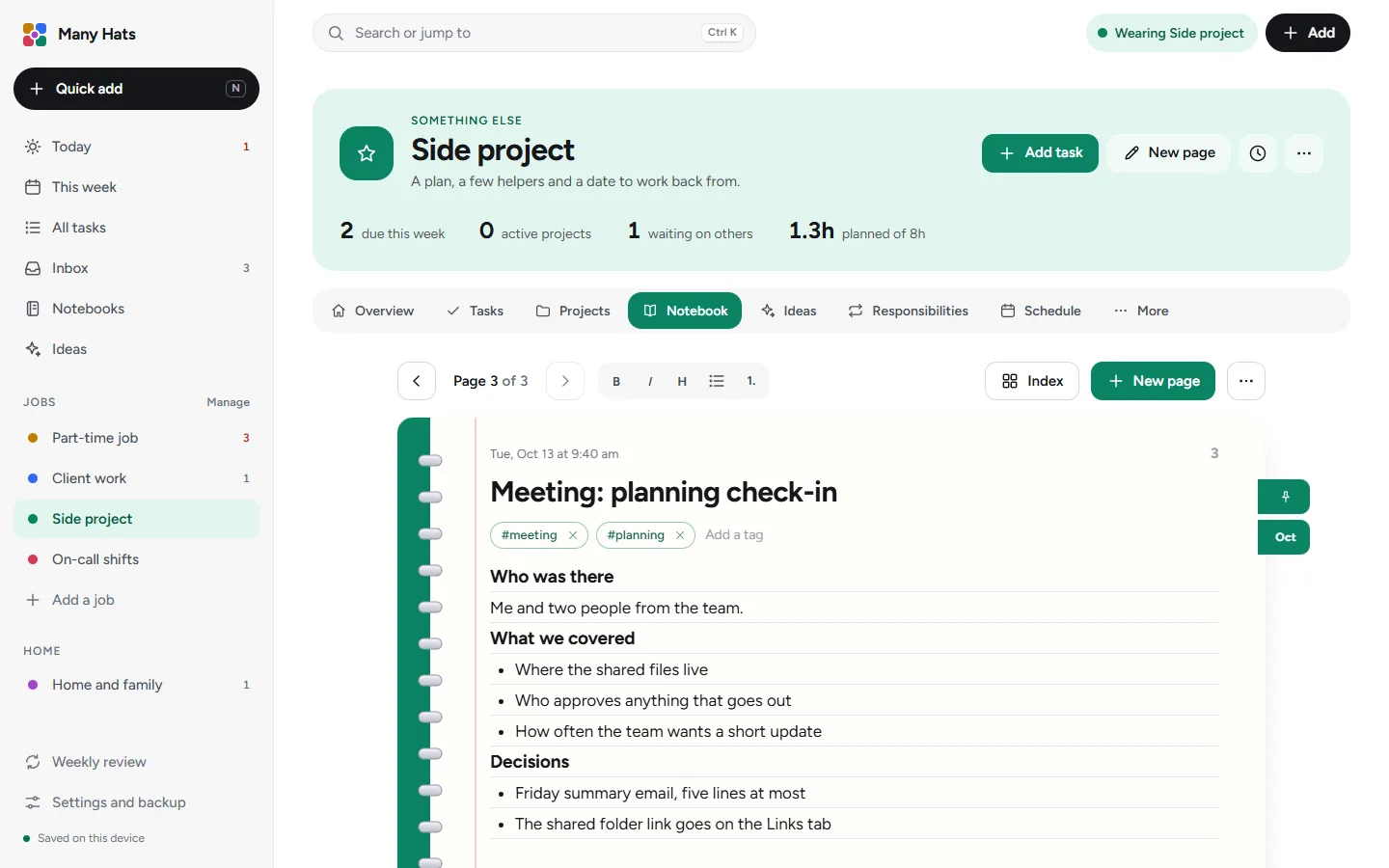
Every job has numbered, dated pages on ruled paper, and you can start blank or from a template such as meeting notes or a client brief and flip through the pages with the arrow keys.

  • Tag pages with a hash sign and search titles, text and tags.
  • Follow-ups you write on a page turn into tasks with one button.
A notebook page of meeting notes in the Side project job, on ruled paper with a spiral binding, tags and page controls.

Client work

Ideas written for the work you do

Each responsibility comes with its own set of ideas, and you can turn one into a task or save it for later, and an idea you dismiss stops coming back.

  • Add ideas of your own beside the ones that come with the job.
  • Brainstorm with an assistant writes a message you can edit and paste into an AI assistant.
The Ideas tab of the Side project job, with a filter for each responsibility and idea cards, each with buttons to make it a task, save it or set it aside.

On-call shifts

A pause between jobs

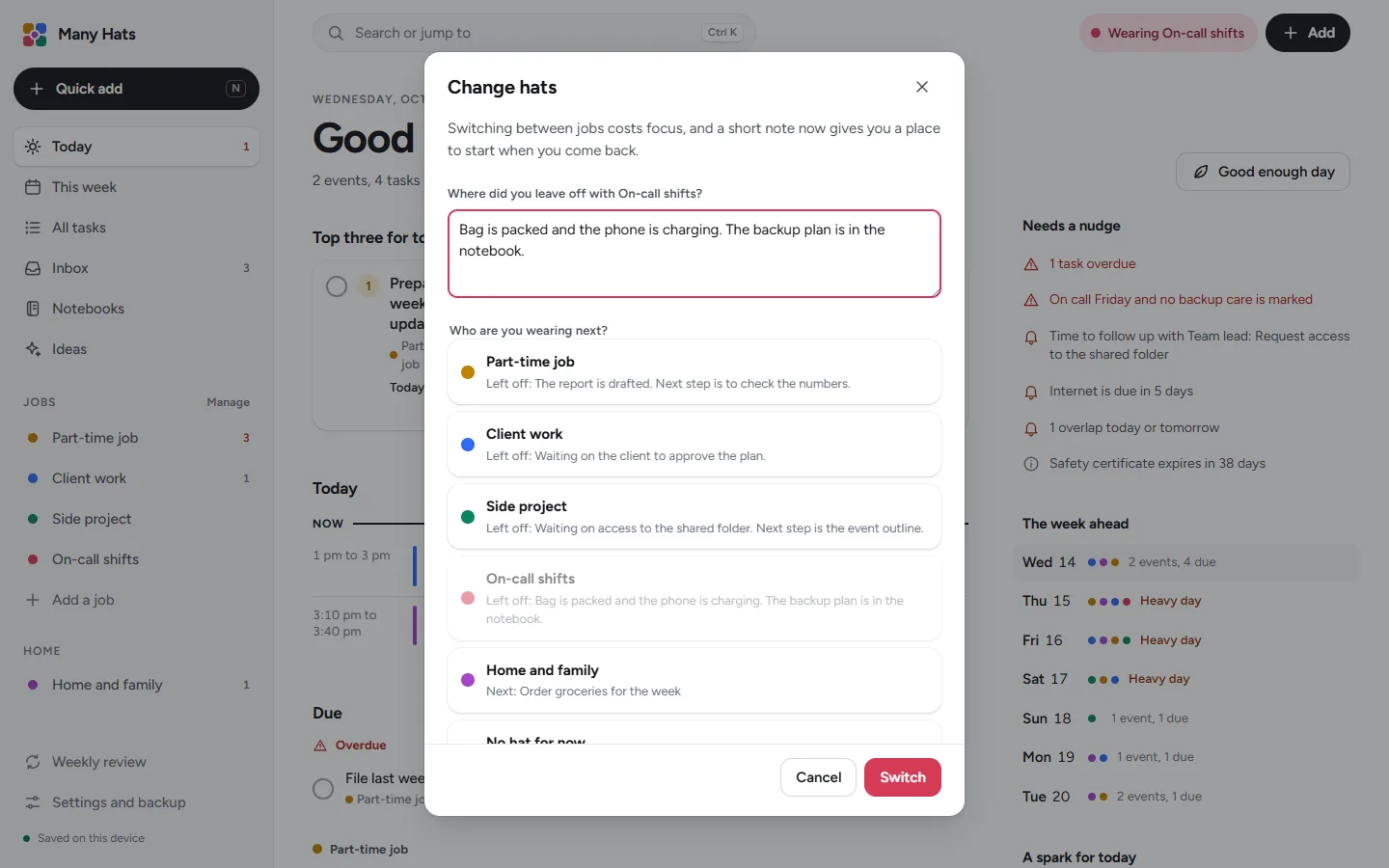
When you change hats, the app asks where you left off in the job you're leaving and shows that note again when you return.

  • An energy check-in that suggests a lighter week after three low days.
  • A weekly review in six short steps, each one optional.
  • Quiet hours that tuck away reminders while you are off the clock.
  • A hat plan for each weekday, if you like to give days a main job.
The Change hats window, with a box for where you left off and a list of the other jobs to wear next, each with its own note.

Home and family

A home space beside your jobs

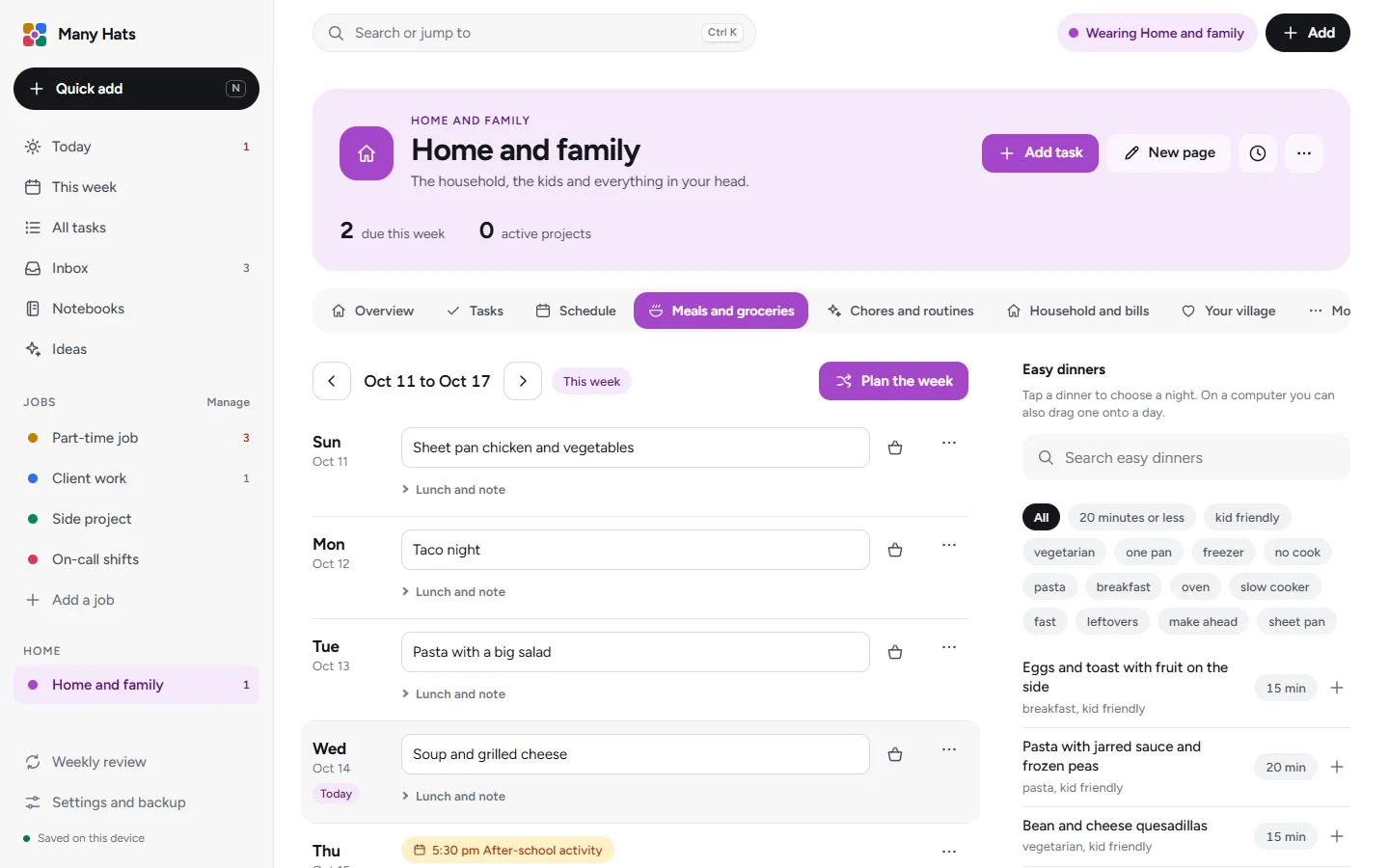
Home has its own color and sits in the same menu as your jobs, and it plans the week's dinners, hands out chores, tracks bills and keeps a list of the people who can step in when you need cover.

  • A dinner plan with easy dinners to pick from and a grocery list.
  • Chores and routines with a person on each.
  • Bills that move to their next date when you mark them paid.
  • Events that say who they are for and whether an adult has to be there.
The meal plan for Home and family: a dinner for each night of the week beside a list of easy dinners to pick from.

Everything in Many Hats

The same app fits in a phone's browser.

Open it on your phone and choose Add to Home Screen, and it sits with your other apps and opens full screen with a bottom bar, a quick add button and a calendar that turns into a list.

Today on a phone, with a greeting, a Good enough day button, the top three tasks and the start of the schedule.
The calendar on a phone as an agenda, with a view switcher, job filters and a list of what is due, grouped by day.
Quick add on a phone, with a typed sentence and the job, date and time picked out of it.

Made for people with more than one place to be

Many Hats fits anyone whose week is split between jobs and a home.

Working parents

Work and home on one page.

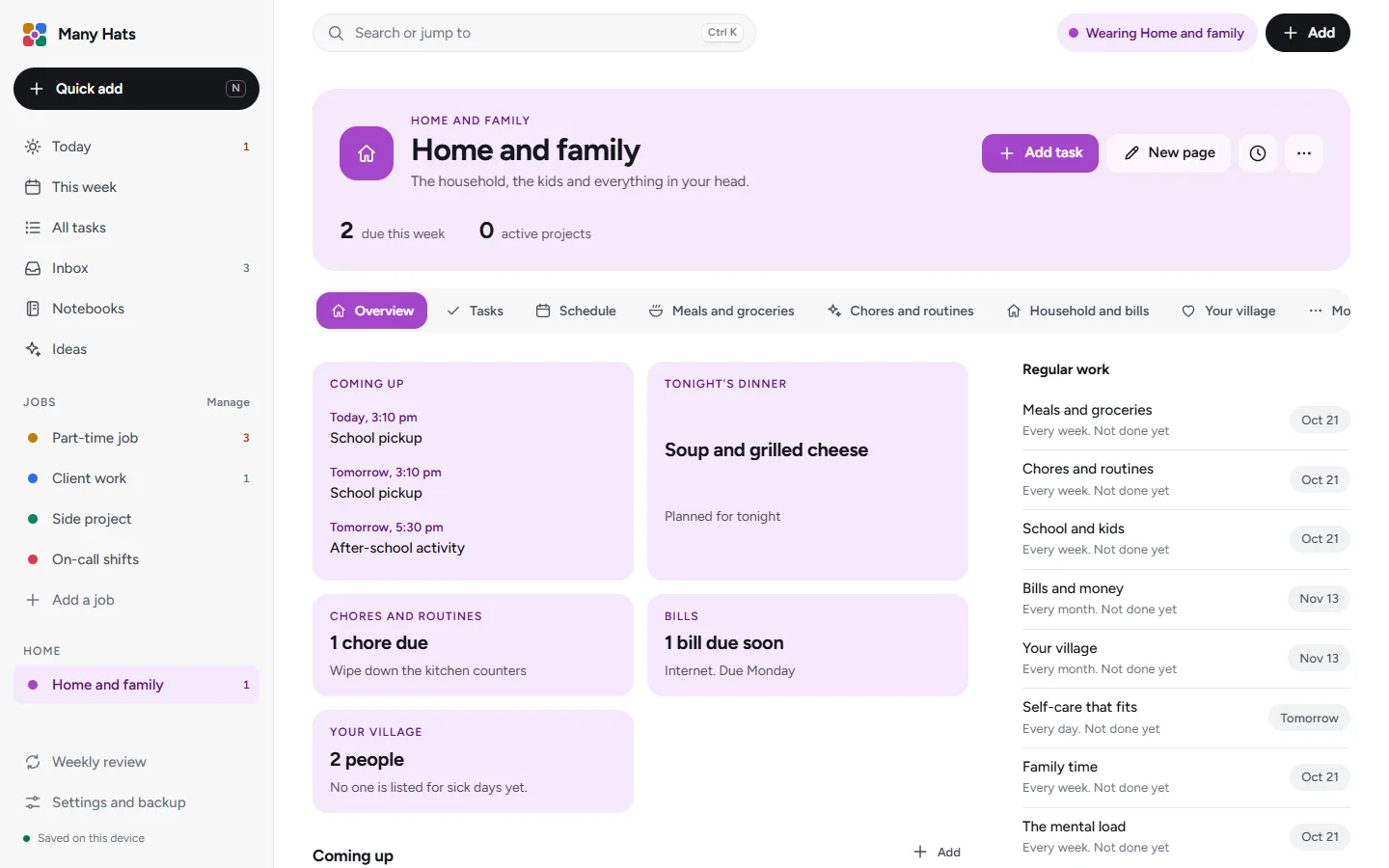
A Home space with meals, chores, bills and a list of backup people sits next to your jobs, and the school pickup and the client call show up on the same Today page.

Events in Home can say who they are for and whether an adult has to be there, and on a heavy day Good enough day trims Today to the few things that count.
Read the Working parents page
The room for Home and family, with an orchid header and cards for what is coming up, tonight's dinner, chores, bills and your village.

People on call

An on-call calendar checks that backup cover is arranged and a certificates tracker keeps renewals in view, while client notes go under initials or a code.

Read the People on call page

The same information on your computer and your phone.

Many Hats keeps a working copy in your browser and syncs it to your account, and signing in on another device brings everything with it.

How your information is kept

Encrypted when it syncs
Your information is encrypted when it's sent and when it's stored.
Keeps working offline
Changes are saved in the browser while the connection is down and sync when it comes back.
A copy of your own
Download a backup file from Settings at any time, and you can still download your information after a subscription ends.
A quiet website
This site doesn't set cookies or run analytics.

One plan, with a 14 day free trial

The subscription is $9.99 a month or $100 a year and includes the whole app with sync between your devices and an encrypted backup. The trial needs no card.

Common questions

More answers are in the help center.

How much does Many Hats cost?

The subscription is $9.99 a month or $100 a year, and the first 14 days are a free trial that needs no card.

Is there a free trial?

Yes, the first 14 days are free and no card is needed. The trial starts the first time you sign in, and each email address gets one trial.

Do I need an account?

An account holds your subscription and syncs your information between your devices, and signing up for one starts the free trial.

Where is my information kept?

A working copy is kept in your browser and synced to your account, where it's encrypted in transit and at rest. How your information is kept has the details.

Does it work offline?

Once it has loaded it keeps working if your connection drops, and your changes sync when the connection is back.

Can I use it on my phone?

Yes, it works in a phone's browser and syncs with your other devices when you sign in.

Can I change the jobs it starts with?

Yes, you can rename, recolor, reorder, copy, archive or delete any job, rename its tabs and switch any feature on for any job.

Start your trial and set up your first job.

Begin with the example setup or a blank page.